 Jorgen Bergstrom
Install JupyterLab
Instructions
The next step after installing Python is to install JupyterLab. This is free open-source web-based interactive development environment for Python coding. It is really cool, easy to install and use. All you have to do is to start Python and type the following commands:
pip install --upgrade pip
pip install jupyterlab
Then start JupyterLab using the following command: jupyter lab.
This will open a new browser window with JupyterLab. It will look something like in the following image.
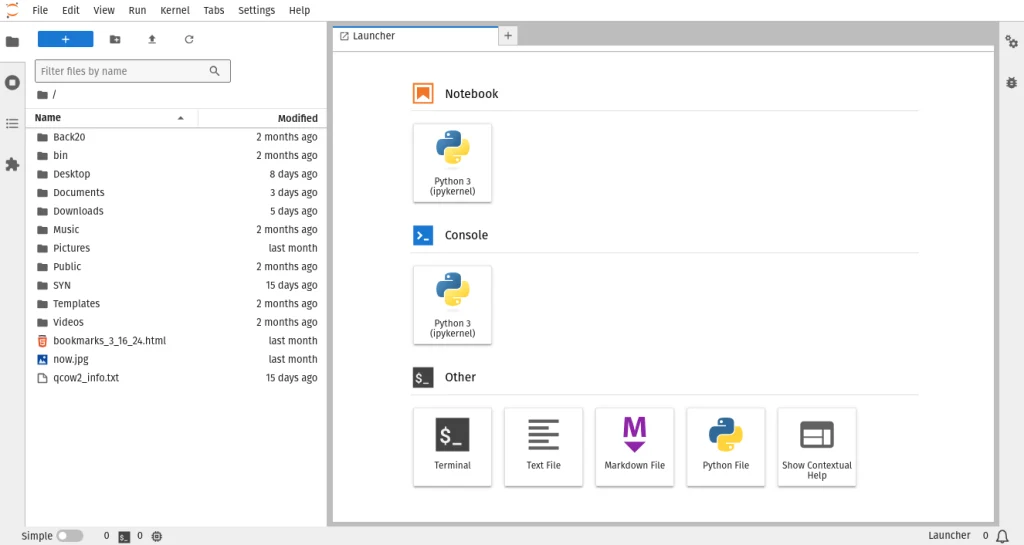
If you close the browser tab and want to open it again, then you can simply go to following url:
http://localhost:8888/lab.
If you need to at a later time, you can use the following command to update jupyterLab:
pip install --upgrade jupyterlab.
Use VS Code to Run Jupyter Notebooks
Another option that I think is even nicer is to run Jupyter notebooks inside VS Code. The interface is very nice and easy to use. This is what I do these days.